
Expert Guide Series
Top ten advantages of Android
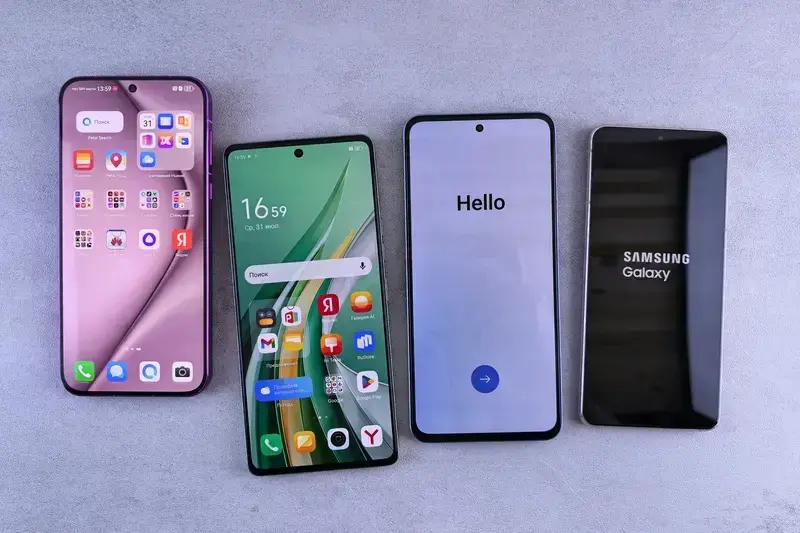
Android phones outsell iPhones globally by roughly four to one. Yet in design circles, we often hear endless praise for iOS while Android gets dismissed as the "messy" alternative. This overlooks how people actually use their phones.
When we examine Android's advantages from an emotional design perspective, a different picture emerges. The platform's flexibility creates opportunities for deeper personalisation and user connection that rigid systems simply cannot match. Users develop genuine attachment to devices that adapt to their specific needs rather than forcing them into predetermined patterns.
Android's customisation potential creates emotional ownership that sealed systems struggle to achieve.
The psychology here runs deeper than feature lists or technical specifications. Android's openness taps into our fundamental need for control and self-expression. When people can shape their digital environment to reflect their personality and workflow, they invest emotionally in that environment. This emotional investment drives loyalty more powerfully than any marketing campaign.
Understanding why Android succeeds means looking beyond surface-level comparisons. The platform's design philosophy aligns with how humans actually want to interact with technology. Rather than accepting someone else's vision of the "perfect" interface, users can create something that genuinely serves their individual needs.
Understanding Emotional Design Principles
Android's core strength lies in recognising that different users have fundamentally different emotional relationships with their devices. Where other platforms assume everyone wants the same experience, Android acknowledges that personality differences run deep.
Colour psychology plays out clearly across Android's customisation options. Users gravitate towards blues for productivity apps because blue evokes focus and clarity. Gaming enthusiasts often choose darker themes with red accents, tapping into feelings of intensity and energy. These choices happen subconsciously, but they create genuine emotional resonance.
The platform's widget system demonstrates sophisticated understanding of cognitive load management. Rather than forcing users to dive into apps for basic information, widgets surface relevant data contextually. This reduces the mental effort required for routine tasks, keeping users in a calmer, more controlled emotional state throughout their day.
Let users preview customisation changes before applying them. Seeing immediate visual feedback reduces anxiety about making "wrong" choices and encourages experimentation.
Progressive disclosure works particularly well within Android's launcher ecosystem. Users can start with simple icon arrangements, then gradually layer in widgets, shortcuts, and automation as they become more comfortable. This scaffolded approach prevents overwhelm while building confidence through successful small interactions.
Personalisation Through Behavioural Analysis
Traditional phone interfaces treat every user identically, but Android's architecture enables genuine behavioural adaptation. The system learns from usage patterns and adjusts accordingly, creating interfaces that evolve with user needs rather than remaining static.
Google's adaptive battery technology exemplifies this approach. Rather than applying blanket power management rules, the system observes which apps individual users actually engage with regularly. Apps that rarely get opened receive less background processing priority, while frequently used services remain responsive.
Smart launchers take this concept further by tracking which apps users access at different times and locations. The interface subtly promotes relevant options based on context. Someone who always checks email during their morning commute will find Gmail more prominently featured during that timeframe and location combination.
UX/UI design built around real psychology
We design app interfaces around how people actually think and behave. User research, psychology-driven UX/UI design and technical specs delivered as one complete package.
Adaptive Interface Responses
Android's notification system demonstrates sophisticated emotional intelligence through its layered approach to information delivery. Instead of bombarding users with every update simultaneously, the platform creates hierarchy based on urgency and personal relevance.
Adaptive interfaces reduce cognitive burden by presenting contextually relevant information when users need it most.
Priority notifications break through Do Not Disturb modes only for genuinely important contacts or time-sensitive information. This prevents the anxiety that comes from missing critical communications while maintaining focus during concentrated work periods. Users learn to trust the system's judgment about what requires immediate attention.
The platform's gesture navigation adapts to individual motor preferences and physical capabilities. Users can adjust sensitivity levels, modify gesture zones, and even switch back to traditional button navigation if preferred. This flexibility accommodates different hand sizes, usage postures, and accessibility needs without compromising functionality.
Offer multiple interaction methods for the same function. Some users prefer taps, others swipes, and some need voice commands. Supporting various input methods increases accessibility and user comfort.
Contextual Interface Shifts
Android's automatic dark mode scheduling shows understanding of circadian psychology. Screens automatically shift to warmer, darker themes as evening approaches, reducing blue light exposure that can disrupt sleep patterns. Users often report feeling more relaxed during evening device usage when this feature activates appropriately.
Building Genuine User Connection
The most successful Android implementations create emotional connections by treating the device as an extension of the user's personality rather than a separate tool. This philosophical difference influences everything from wallpaper selection to app organisation methods.
Live wallpapers that respond to touch, time, or location changes transform the lock screen into something personally meaningful. Weather-based backgrounds that shift with local conditions help users feel more connected to their physical environment. These small touches accumulate into a sense of ownership that goes beyond mere possession.
Android's file system accessibility enables users to truly control their digital possessions. Unlike platforms that hide file structures, Android allows direct manipulation of photos, documents, and media files. This transparency builds trust by giving users agency over their own data.
Default app selection represents another crucial trust-building mechanism. When users can choose their preferred browser, email client, or messaging app system-wide, they feel respected rather than coerced. This choice acknowledgment creates positive associations with the platform itself.
- Multiple keyboard options accommodate different typing styles and language needs
- Camera app alternatives allow users to match photography preferences
- Music player choice supports varied audio consumption habits
- Browser selection enables privacy and feature preferences
Measuring Emotional Engagement
Android's built-in analytics provide fascinating insights into emotional engagement patterns through usage tracking and app preference data. Screen time reports reveal which applications create genuine value versus mindless scrolling, helping users make conscious choices about their digital habits.
App usage statistics show clear emotional patterns. Social media apps often display longer average session times but lower return frequencies, suggesting engaging but potentially draining interactions. Productivity apps typically show shorter, more frequent sessions, indicating regular utility without emotional overwhelm.
Battery usage data correlates strongly with emotional investment. Apps that users check frequently throughout the day consume more background resources, revealing subconscious attachment levels. This data helps identify which services genuinely enhance daily life versus those creating unnecessary anxiety or distraction.
Track user return patterns rather than just session length. Frequent returns with shorter sessions often indicate healthy engagement, while long sessions with low return rates might signal overwhelming experiences.
Behavioural Pattern Recognition
Google's Digital Wellbeing tools demonstrate sophisticated understanding of healthy technology relationships. By surfacing usage patterns visually, users can recognise when certain apps trigger compulsive behaviours or create negative emotional states. This awareness enables conscious behaviour modification.
Long-term Brand Legacy Considerations
Android's approach to user agency creates lasting positive associations that extend far beyond individual device lifespans. Users who experience genuine control and personalisation develop platform loyalty that persists through hardware upgrades and ecosystem expansions.
The platform's backwards compatibility philosophy shows respect for user investment in customisation and app libraries. Unlike systems that regularly break existing setups, Android typically preserves user modifications across updates. This continuity builds trust in long-term platform commitment.
Cross-device synchronisation maintains personalised experiences across tablets, phones, and other Android devices. Users can expect their carefully crafted interface preferences to travel with them, reducing setup friction and maintaining emotional connections to their digital environment.
Open development standards ensure that user preferences and data remain portable. Even when switching between different Android manufacturers, core customisations and app choices typically transfer smoothly. This reduces switching anxiety and platform lock-in fears that plague more restrictive ecosystems.
Design customisation features that export and import easily between devices. Users invest emotional energy in personalising their interfaces and expect that investment to transfer to new hardware.
Conclusion
Android's true advantage lies in recognising that emotional design cannot follow a one-size-fits-all approach. The platform succeeds because it provides frameworks for personalisation rather than dictating specific interaction patterns. Users develop genuine attachment to systems that adapt to their needs rather than forcing adaptation to predetermined constraints.
The platform's flexibility enables emotionally intelligent design that responds to individual psychology, cultural differences, and changing life circumstances. This adaptability creates sustainable user relationships built on respect and agency rather than aesthetic appeal alone.
Effective Android implementation requires understanding that customisation serves deeper psychological needs than surface-level decoration. Users who can shape their digital environment to reflect their personality and workflow develop stronger emotional connections to the platform itself.
Companies designing for Android should embrace the platform's flexibility rather than fighting against it, and choosing the right technology for their app is a crucial part of that process. The most successful Android apps and interfaces work with users' natural customisation instincts rather than attempting to impose rigid design systems that ignore individual preferences.
Ready to explore how Android's flexibility could enhance your users' emotional connection to your product? Let's talk about your Android strategy.
Frequently Asked Questions
Why is Android considered better for personalisation than other mobile platforms?
Android's open architecture allows users to customise nearly every aspect of their device, from launchers and widgets to themes and automation. This flexibility creates emotional ownership because users can shape their digital environment to reflect their personality and specific workflow needs. Unlike closed systems that force everyone into the same predetermined patterns, Android adapts to individual preferences.
How does Android's customisation affect user emotions and attachment to their device?
Android's customisation potential taps into our fundamental psychological need for control and self-expression, creating deeper emotional investment in the device. When users can personalise their interface with meaningful colour choices, layouts, and widgets, they develop genuine attachment that drives stronger loyalty. This emotional connection proves more powerful than any marketing campaign because the device truly feels like their own.
What are Android widgets and how do they improve the user experience?
Widgets are customisable elements that display app information directly on your home screen without requiring you to open the full application. They demonstrate sophisticated cognitive load management by surfacing relevant data contextually, reducing the mental effort needed for routine tasks. This keeps users in a calmer, more controlled emotional state throughout their day by providing quick access to essential information.
How does Android's adaptive battery technology work differently from standard power management?
Rather than applying blanket power management rules to all users, Android's adaptive battery observes individual usage patterns and adjusts accordingly. Apps that you rarely use receive lower background processing priority, whilst frequently used services remain fully responsive. This personalised approach ensures better battery life without compromising the performance of applications you actually care about.
What is progressive disclosure and how does it work in Android launchers?
Progressive disclosure is a design principle that presents information and options gradually rather than all at once, reducing user overwhelm. In Android launchers, users typically start with simple icon arrangements, then progressively add widgets, shortcuts, and automation as they become more comfortable. This scaffolded approach builds confidence through successful small interactions whilst preventing cognitive overload.
Does colour choice in Android customisation actually matter psychologically?
Yes, colour psychology plays a significant subconscious role in how users interact with their devices. Research shows users gravitate towards blues for productivity apps because blue evokes focus and clarity, whilst gaming enthusiasts often prefer darker themes with red accents for feelings of intensity and energy. These choices create genuine emotional resonance even when made unconsciously.
Why do Android phones outsell iPhones globally if iOS gets more praise in design circles?
The four-to-one sales ratio suggests that real-world user preferences differ significantly from design industry opinions. Whilst design circles often praise iOS for its polished consistency, actual users value Android's flexibility and personalisation options more highly. This demonstrates that people prefer devices that adapt to their individual needs rather than forcing them into someone else's vision of the 'perfect' interface.
Related Articles

Which Mobile Platform Is Best for My App Idea?
Are you brimming with a fantastic app idea but feeling overwhelmed by the thought of choosing the...
by Simon Lee
What's The Difference Between Push Notifications On iOS And Android?
Push notifications are those little messages that pop up on your phone screen from apps you've...
by Simon Lee